As of 2026, video generation using AI is no longer experimental and is for short videos only. Now, high-quality video generators are expected to offer high-quality audio and cinematic, audio-visual, and narrative storytelling capabilities. Leveling up to these expectations is Seedance 2.0 and Kling 3.0, both of which are powerful AI video generators that are fully integrated with the Dzine AI ecosystem.
However, while Kling 3.0 emphasises unified multimodal automation and cinematic pacing, Seedance 2.0 is designed for creators who want precision and reference-based control, as well as beat-linked motion. This often leaves users in the Dzine AI video generator environment asking: Which one should I use? In this guide, I’ve detailed features, real-world examples, and a production-level comparison so that you can make an informed decision for your own creative workflow.
Kling 3.0 Review – Unified Cinematic AI Video Generator
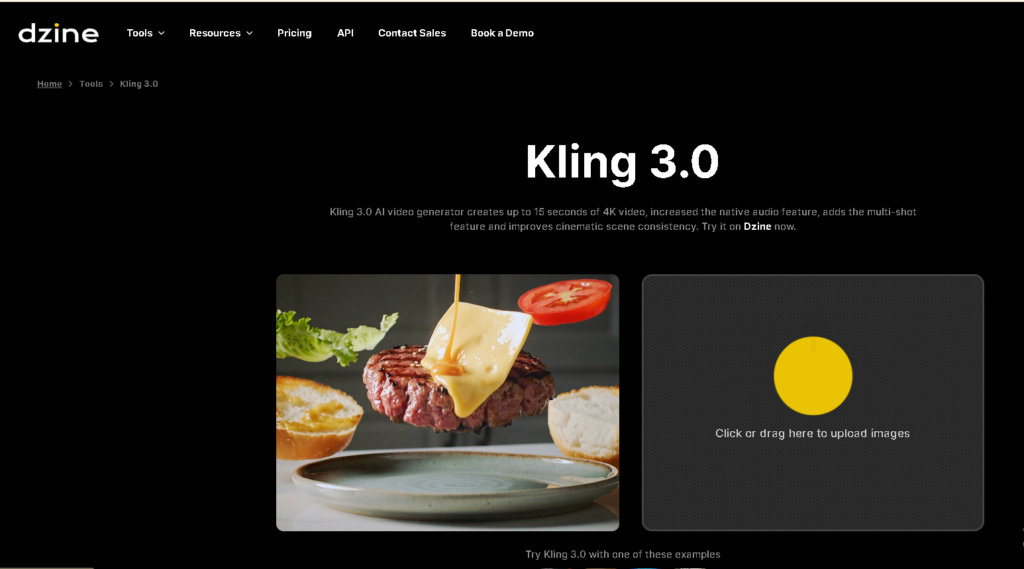
Kling 3.0 incorporates multimodal AI video generation and is built on Kling O1 and 2.6. It combines text-to-video, image-to-video, and reference-based generation into one singular architecture. Kling 3.0 enhances semantic understanding along with cinematic consistency by not switching between models, but instead keeping it all within one intelligent system.
Kling 3.0 allows video generation of 15 seconds in length or less in true 4K resolution at 60 FPS, along with the capability of creating video and audio simultaneously (synchronised output).
Core Features of Kling 3.0
1. Unified Multimodal Generation
Kling 3.0 combines several video functions into one cohesive system:
- Text-to-Video: Generate entire scenes based on specific prompt descriptions while ensuring consistency of context and direction of lighting, and motion logically.
- Image-to-Video: Move still images to create cinematic (animated) sequences in which the identity of the character and environment remains stable.
- Reference-Based Generation: Use reference images while keeping the narrative and visual harmony.
2. Extended 15-Second Narratives
Kling 3.0 offers one of the most exciting upgrades in that it can produce continuous video lasting up to 15 seconds all within a single prompt. This longer time frame provides creators a chance to construct more cohesive mini-narratives with a defined beginning, middle, and end instead of disparate short clips. For product storytelling, this means it’s easy to show features step by step in the same scene without resetting the stage. Action sequences also benefit, because movement physics stay consistent through different shots, there’s no awkward jump or visual reset.
3. Intelligent Multi-Sequenced Storyboarding
Kling 3.0 uses a state-of-the-art LLM to automatically generate stories from prompts structured in a cinematic way. Rather than generating one static scene, the model logically diffuses the narrative into different camera angles from wide establishing shots to medium framing to close-up detail shots. Transitions between these angles flow more seamlessly and feel like adjustments rather than jarring cuts. The tempo at which these shots flow is modulated based on the prompt that is being produced, be it dramatic, emotional, or energetic.
4. Native Audio Technology
It synthesizes voice, music, and video in tandem, making a fully synced audio-visual work of art. Dialogue is rendered in natural, human-sounding AIVoices, and their lip movements are aligned at the frame level to ensure realism. Alongside spoken narration, the system may also curate environmental sounds like background ambiance, subtle effects, and mood-setting music into experiences. Since audio and visuals are created within the same generative process, they feel timed naturally sensically to each other instead of added in later.
5. True 4K Output at 60 FPS
Kling 3.0 runs at native 4K resolution at a high-fidelity (and broadcast-level) frame rate of just under 60 frames per second. The high frame rate avoids jitter or stutter during pans of the camera, movement of characters, and transitions. The result is rich color depth and smooth lighting gradients to enhance the realism of scenes, especially important in product-focused visuals where texture and detail really count. High dynamic range support also adds to the clarity, making highlights, shadows, and reflections look more natural. This generative level of output quality makes Kling 3.0 perfect for social media, when needed flat content.
6. Enhanced Scene & Character Consistency
One of the biggest challenges facing AI-generated video is stability over long sequences, and Kling 3.0 achieves that in spades. Across multi-shot scenes, it maintains the appearance of characters so that facial features, clothing details, and body proportions stay consistent from beginning to end. Lighting direction and intensity are also preserved from shot to shot in your sequence, allowing for a consistent lighting experience that avoids sudden shifts in shadow or color tone that can break immersion.
Kling 3.0 Practical Applications & Video Examples
Product Launch Cinematic Advertisement
Kling 3.0 automatically structures a 12-second luxury ad into cinematic multi-shot sequences, adds synchronized music and voiceover, and maintains consistent lighting and product textures. The result is a polished, ready-to-publish commercial with minimal editing required.
Short Form Narrative Film
For a 15-second story, Kling 3.0 preserves character consistency across camera changes, ensures smooth cinematic movement, and maintains realistic lighting transitions, delivering a cohesive short film experience.
Social Media Advertisement with Integrated Audio
In social promos, Kling 3.0 aligns music with pacing, synchronizes dialogue naturally, and creates seamless shot transitions, producing engaging, professional-quality reels.
Kling 3.0’s Strengths:
– Best for narrative flow.
– Best for cinematic storytelling.
– Best for creators who prefer “one prompt → full sequence”.
How to Use Kling 3.0 in Dzine AI: Step by Step Process
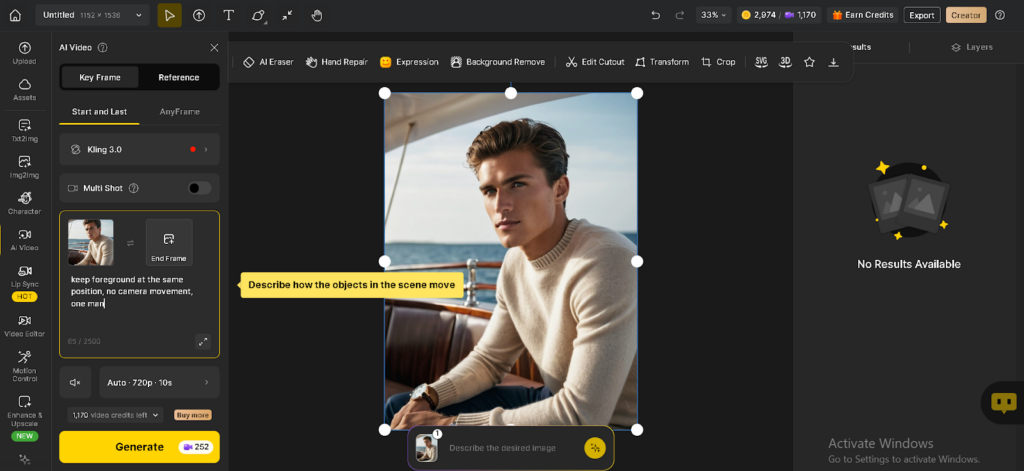
Step 1: Open the dashboard in Dzine AI and go to AI Video from the left sidebar and select Kling 3.0 as your model. Choose your generation mode (Start & Last Frame or Any Frame).
Step 2: Upload your start image. If you want a controlled transition, also upload an end frame.
Step 3: Describe how elements move (camera, subject, lighting).
Example: “Soft wind in hair, ocean waves moving, no camera movement.”
Step 4: Set duration (up to 15s), resolution, and enable Multi-Shot if needed.
Step 5: Click Generate, review the result, then export your finished video.
Seedance 2.0 Review – Video Generator with AI
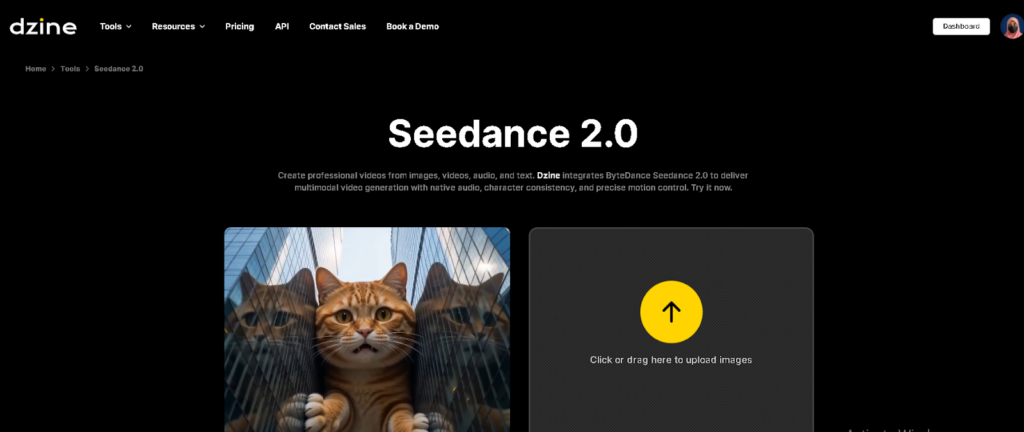
Seedance 2.0 is a Dzine-integrated AI video generator based on ByteDance. Contrarily to Kling 3.0 with automation as the first model, Seedance 2.0 caters to the advanced user who has a need for reference control and motion detail to an advanced degree.
Seedance can handle 9 images, 3 video references, and 3 audio files at once, so workflows can be even more finely controlled.
Key Features of Seedance 2.0
1. True Multimodal Processing
One major difference with Seedance 2.0 is that it processes multiple types of input in a single generation workflow. It is capable of extracting lighting, composition, and texture from photographs, and it replicates camera motion and shot transitions from video references. Simultaneously, it translates audio inputs into rhythm and timing and uses text prompts to orient a narrative route. In doing so, Seedance 2.0 facilitates structured, production-ready workflows that ensure style, motion, and storytelling stay aligned from start to finish.
2. Native Audio and Beat-Synced Motion
One of Seedance 2.0’s coolest capabilities is directly mapping motion to rhythm. Speech generation is aligned with appropriate lip movement, while cuts and transitions in camera angle can be timed exactly to musical beats. The movement is recorded with the sounds, resulting in a very rhythmic experience for your eyes.
3. Precise Reference-Based Control
It very efficiently gets detailed visual data and motion reference from these inputs. It’s able to restore image composition at a near pixel level, replicate complex camera choreography from uploaded videos, and recreate trending templates with remarkable accuracy. This degree of control enables creators to recreate viral formats or cinematic styles without manual editing.
4. Multi-Camera Storytelling
Seedance 2.0 excels at multi-shot storytelling with graceful coordination of scene transitions, lighting changes, and perspective shifts. It does short switching in a coherent way, making edits feel less piecemeal. Character identity and environmental consistency still hold up even as camera angles change. This produces fluid multi-camera sequences while keeping the narrative crisp throughout the video.
5. Character Consistency
One of the big strengths of Seedance 2.0 is its character stability. It avoids common AI hurdles like character drift, clothing distortion, facial flickering, and unstable backgrounds. Across multiple shots, facial features are accurate and proportions consistent. This reliability makes it a good fit for use in professional productions, where visual continuity is important.
6. Flexible Output Settings
Seedance 2.0 allows for flexibility with video lengths of 4 to 15 seconds, depending on campaign needs. It also provides customizable aspect ratios of 9:16 for vertical content and 16:9 for widescreen formats. These settings can be tailored to meet platform needs, while the rendered quality is still production-ready. This makes it versatile for everything from social clips to refined branded ads.
Seedance 2.0 Real World Applications & Video Examples
Social Campaigns Based on Music
Insert product images + popular audio → Motion mapped to beat → Edits according to audio → Content ready to go viral.
Viral Cinematic Template
Insert target video → AI detects camera movements → Place new product → Cinematic style preserved.
Product Storytelling Using Multiple Images
Insert 5 photos of the product → Narrative ad with consistent lighting and transitions.
Kling 3.0 vs Seedance 2.0 – Direct Comparison
Feature Comparison Table
| Feature | Kling 3.0 | Seedance 2.0 |
| Max Duration | 15 sec | 4–15 sec |
| Native Audio | Yes | Yes |
| Beat Sync | Standard | Advanced |
| Automation | High | Medium |
| Reference Precision | Moderate | High |
| Best For | Cinematic storytelling | Controlled replication |
Storytelling Ability
Kling 3.0 offers the flexibility to add automatic cinematic pacing. Each prompt provided creates and organises the video with logical shots and seamless transitions, creating narrative flow without additional direction. This allows for the greatest potential for story-driven ads and for short cinematic clips, where story cohesiveness is a priority.
Seedance 2.0 is centred around storytelling with control. This platform does not benefit from automated storytelling and prefers the user to dictate flow and structure using references, instructions, and detail. This platform is better suited for users who need specific shot design and purposeful story scene structure.
Audio & Synchronisation
With Kling 3.0, audio and video are generated and integrated simultaneously. Dialogue and lip-syncing as well as background music are well timed and integrated, making it one of the best options for narrative and story-driven brand videos.
Seedance 2.0 focuses more on beat-driven synchronicity. Actions and scene transitions are done to the specified beat of the song. This style is best suited for video content of a more musical nature, as well as enhanced social media videos.
Automation vs Control
Kling 3.0 is automation-based, meaning it does not require pacing or shot sequencing control from the user. This feature lightens the burden of the user and increases the speed of content production.
Seedance 2.0 is control-based, meaning that it offers more potential to the user to be more creative through the use of references and instructions. While the platform does provide more accuracy and design control, it will require additional work from the user.
Which is Better for Beginners?
Kling 3.0 is for beginners because it is less complicated. Anyone can make videos without experience with video settings. They can adjust the level of detail used for the prompt and the rest is all automatic. They handle the video in an automated fashion, deciding shot changes, pacing, and audio across shots. They can possess the video in the manner they wish. They can divide their attention from the tech, which is a huge leap in the difficulty of getting to the goal they want. Most of their attention can be directed at their story and not the tech or the means to get it there, unlike other software.
In contrast, for the Seedance 2.0 software, it will be easier if you are advanced. It is a powerful piece of software, but without an understanding of the reference inputs and motion, the software exposes the audio sync with the video, and it will feel out of control. If you have detailed directions/goals, it will be easier for you compared to the software that is for the purpose of productivity.
Final Verdict
Kling 3.0 offers the automation and cinematic storytelling capabilities of seamlessly integrated multimodal intelligence. In contrast, Seedance 2.0 provides precision, control, and the flexibility to work off references. They are both part of the Dzine AI video generator ecosystem, offering creators both the flexibility and control to work with automation on the same platform.
Your workflow style will determine the winning option. Choose Kling 3.0 for cinematic automation. Go with Seedance 2.0 for reference precision with great detail.
The optimum choice? Both options can be tried out within the Dzine AI video generator and you can decide which is best to complement your work.