Let’s be honest: the days of “post a photo and hope for the best” are officially dead and buried. If you’re selling anything online today, whether you’re a side-hustle king on TikTok Shop or managing a full-scale Amazon empire, you already know that video is the only thing moving the needle. But here’s the reality: making those videos is a massive, soul-crushing pain. You either have to be a professional editor who lives in Premiere Pro, hire an expensive UGC creator who takes a week to send a clip back, or, heaven forbid, get in front of the camera yourself. For most of us, that last one is a nightmare.
This is exactly why Vmake AI has become the ultimate “cheat code” for e-commerce in 2026. It’s a specialised, high-performance tool built for one purpose: turning a single product image into a video that actually makes people click “Buy.” No cameras, no awkward lighting setups in your living room, and zero waiting for a production crew to get their act together.
Why the “Shoppable” Format is Killing It
We’ve all seen the stats. Static images are fine for your grandma’s digital catalogue, but video builds trust that a JPEG simply can’t match. A well-placed video shows the product in motion. It proves that the thing actually exists and works. Most importantly, it kills the hesitation that usually poisons conversion.
The barrier has always been the sheer friction of production. Vmake basically democratises the whole process. It allows a one-person shop, maybe someone working out of a spare bedroom to put out the same volume of high-quality content as a major brand with a ten-person creative team. It’s about levelling the playing field. If you have a product and a smartphone photo, you’re in the game.
The Three Blueprints for Selling
One of the most annoying things about AI is “prompt engineering.” Who has time to sit there and figure out if they should describe the lighting as “octane render” or “cinematic”? Vmake skips all that. It gives you three specific workflows based on what is actually making money on social media right now.
1. The “AI Avatar” (Your Always-On Spokesperson)
We’ve all scrolled past those talking-head videos on Reels and TikTok. You know why you see them everywhere? Because they work. Humans are hardwired to trust a face.
- How it works: You upload your product photo and a few quick bullet points about why it’s great. The AI avatar generator generates a digital human who “reviews” or presents your product on camera with natural expressions.
- The Benefit: You get that “UGC feel” without the logistical nightmare of mailing samples to a creator or recording yourself when you’re having a bad hair day. It’s the perfect solution for TikTok Shop explainers or those Amazon “About the Brand” videos that usually look so dry.
2. The “Recreate Video” (The Viral Shortcut)
Stop guessing what’s going to go viral. Seriously. This workflow is a “meta” move. It looks at high-performing, high-GMV (Gross Merchandise Volume) video formats that are already crushing it in the wild and models your product video after them.
- Why use it: It’s built for the algorithm. If a specific “unboxing” style or a certain lifestyle transition is trending, Vmake adapts your product image into that exact flow. You aren’t just making a video; you’re making a video that people are already trained to watch. It’s performance marketing without the guesswork.
3. The “Product Showcase” (The Polished Professional)
Sometimes you don’t need a talking head or a viral hook. Sometimes, you just need the product to look like it belongs in a luxury boutique. This is for your “hero” assets, the clean, crisp videos you put on a high-stakes landing page or an Amazon listing.
- The vibe: We are talking high-end lighting, smooth camera pans, and absolutely zero distractions. It takes a smartphone photo and makes it look like it was shot in a multi-million dollar studio with a robotic camera arm.
How to Launch Your First Video With Vmake
If you’re starting from scratch and feeling overwhelmed, here is the “five-minute” game plan to get your first asset live:
- Pick Your Path: Head over to the Vmake AI UGC video generator tool. Decide your vibe: do you want a person talking (Avatar), a viral style (Recreate), or a clean look (Showcase)?
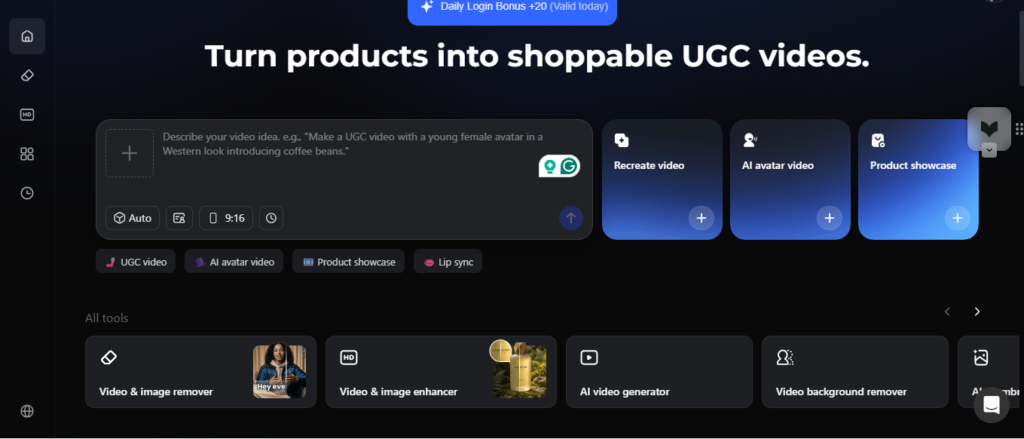
- Drop Your Link: This is my favourite part. You don’t even need to upload a file half the time. You can just paste your product URL from Amazon or Shopify, and the AI will “scrape” the images and details for you. It’s incredibly lazy in the best way possible.
- Fill the Form: Instead of a complex, three-paragraph prompt, fill in these blanks:
- Who is this for?
- What is the tone (excited, professional, funny)?
- What are the top 3 features?
- Hit the “Magic” Button: Click generate. Vmake’s backend uses technology inspired by the big players like Sora and Kling, but it’s tuned specifically for commercial use. It won’t give you a weird, trippy dream sequence; it gives you a sales asset.
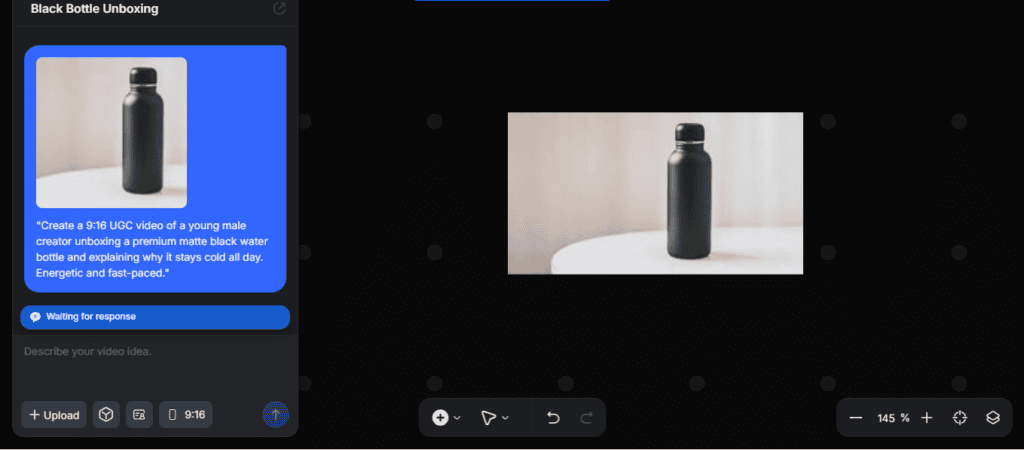
- The Final Polish: Add your captions, swap out the background if it looks boring, or enhance the resolution right there in the dashboard before you export.
How to create a shopping image using the Vmake Product creation tool
Another option is to use the Vmake product video creation tool. This is a simple process that requires you to upload a product video not less than 300px and not more than 4k. Follow this path to use the product video creator:
- Open the Vmake product video creation tool
- Upload product image and add prompt.
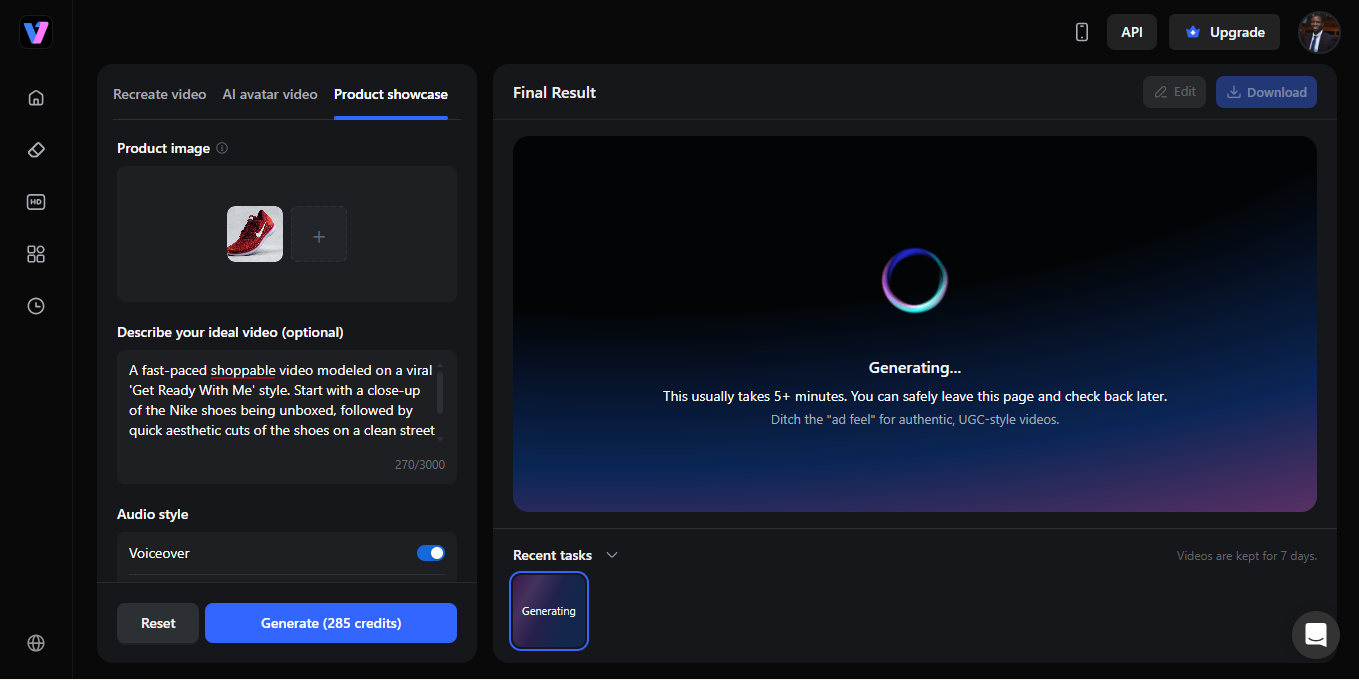
- My prompt: A fast-paced shoppable video modeled on a viral ‘Get Ready with Me’ style. Start with a close-up of the Nike shoes being unboxed, followed by quick aesthetic cuts of the shoes on a clean street background. Use smooth transitions and sync the motion to an upbeat rhythm.
- Click generate and wait for some minutes
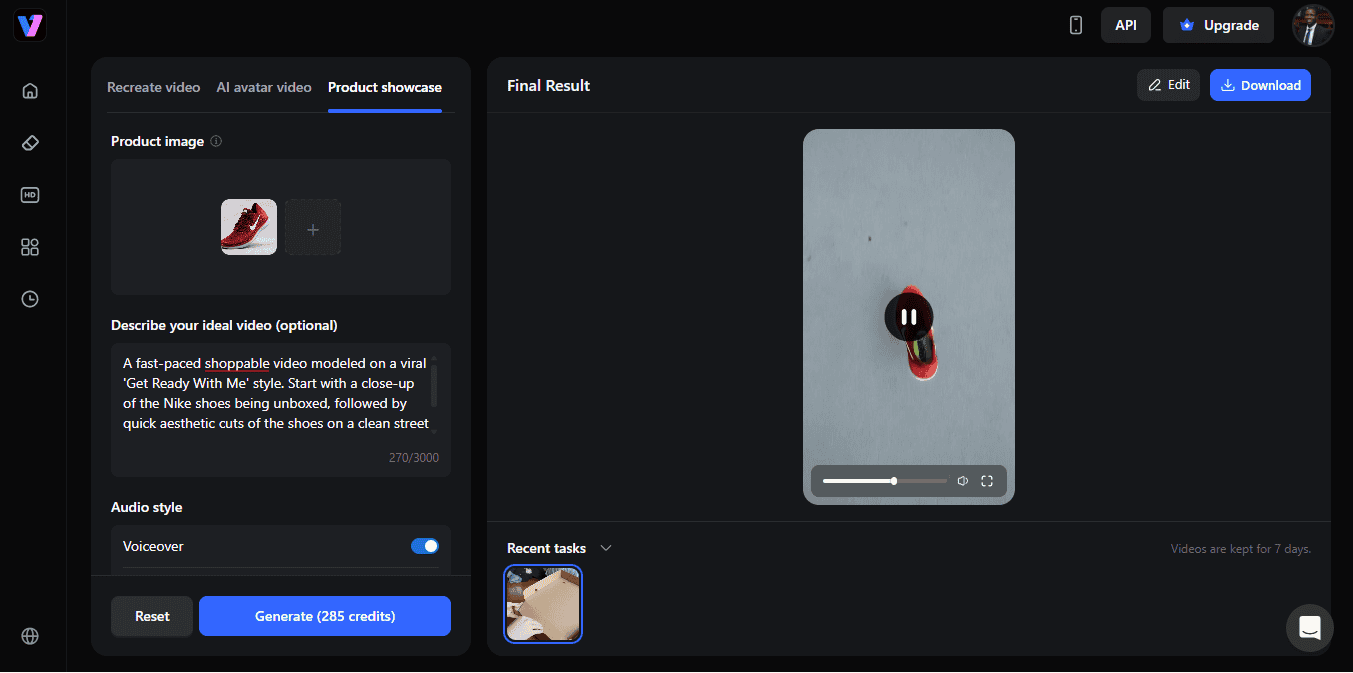
- Edit/download video
Pro Tip: Scaling for the “Big” Seasons
If you’ve been in e-commerce for more than a month, you know the “Season Stress.” During Black Friday, Cyber Monday, or even just a major local shopping festival, the pressure to post is absolutely insane. You need fresh content every day just to stay relevant in the feed.
The old way, sending out samples, coordinating with five different creators, and waiting for revisions, is way too slow for the modern internet. By the time you get the video back, the sale is halfway over.
With Vmake, you can take one single product photo and generate an entire content mix in one afternoon. You can have an avatar video for TikTok, a viral-style clip for Reels, and a clean showcase for your paid ads, all running at the same time. This kind of “content density” is how small brands actually win against the giants. You out-post them. You out-test them. And you do it for a fraction of the cost.
The Ethics of AI in Selling
I get asked this a lot: “Is it okay to use an AI spokesperson?” Here’s my take: as long as your product is real and your claims are honest, the delivery method is just a tool. Customers want to see the product features and how it fits their lives. Whether that’s explained by a person in a studio or an AI avatar, the value is the same. The key is transparency and quality.
The Final Verdict
Shoppable video is a high-converting content format. Period. Not using it may mean leaving money on the table for your competitors to scoop up. Vmake simplify making shopping video that excuses such as “I don’t have a camera,” or “I’m not an editor,” or “I’m too shy” are no more valid.
Have you heard that “The best time to start was yesterday; the second-best time is right now?’ Go to the site, drop a link to your best-selling product, and see what the AI cooks up. You might be surprised at how much the “robot” can help you look more human.